


How to Teleport in Pokémon GO on iPhone
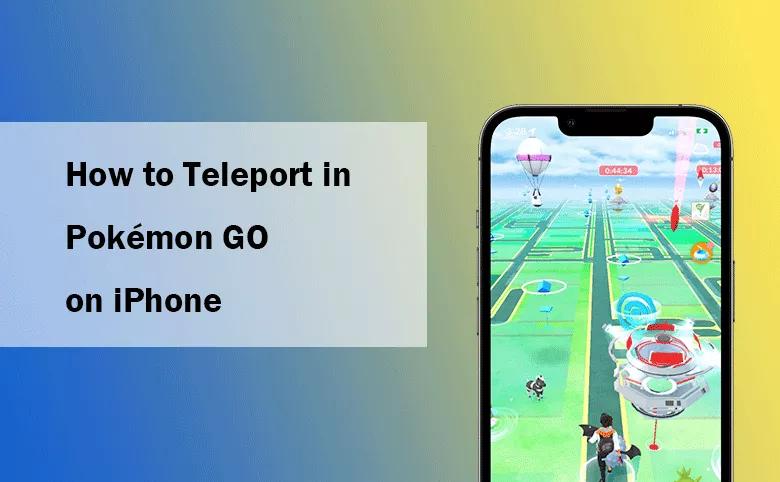
What does teleport mean in Pokémon GO? It means changing your in-game location immediately without having to physically move. After that, you can catch rare or region-specific Pokémon, visit far-off PokéStops, and participate in distant in-game events without leaving your home. In this guide, we will walk you through the safest and most effective ways to teleport in Pokémon GO, using tools for iPhone devices.
- Contents:
- Why Teleport in Pokémon GO?
- Best Places to Teleport in Pokémon GO
- Method 1: Teleport in Pokémon GO on iPhone with Cocosenor Locationgo
- Method 2: Teleport in Pokémon GO on iPhone with VPN
- Tips for Safe Teleporting in Pokémon GO
- FAQ about Teleporting in Pokémon GO
Why Teleport in Pokémon GO?
There are several reasons why players choose to teleport in Pokémon GO:
- Catch Region-Specific Pokémon: Many Pokémon are exclusive to certain regions. Teleporting lets you access these Pokémon even if you are not physically there.
- Access Far-Away Events: Certain in-game events and community days are limited to specific locations. By teleporting, you can participate in these events without the need to travel.
- Explore Different Areas: Some players prefer to see new PokéStops, gyms, or different Pokémon. Teleporting allows you to explore places you might never have visited in real life.
- Complete Location-Based Tasks:: Some research tasks require you to be in specific geographic areas. Teleporting helps you complete these tasks quickly.
Best Places to Teleport in Pokémon GO
Do not know which location to teleport in Pokémon GO? You can take the following locations and coordinates into consideration.

Method 1: Teleport in Pokémon GO on iPhone with Cocosenor Locationgo
Cocosenor Locationgo is a powerful tool that allows you to teleport your location on your iPhone with no jailbreak. It’s one of the safest methods to spoof your GPS location, ensuring that Pokémon GO thinks you're in a completely different spot. This Pokémon GO teleport app also works for other apps and games, not just Pokémon GO.
Step 1:Download the newest software from Cocosenor website and install it on your computer (compatible with both macOS and Windows).
Step 2: Open Cocosenor Locationgo and make sure your iPhone is connected.
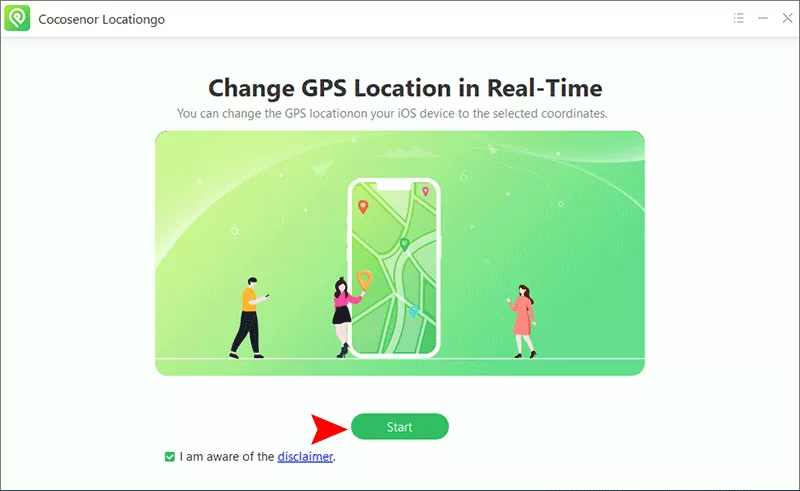
Step 3: In the software interface, click the Start button to detect your iPhone.
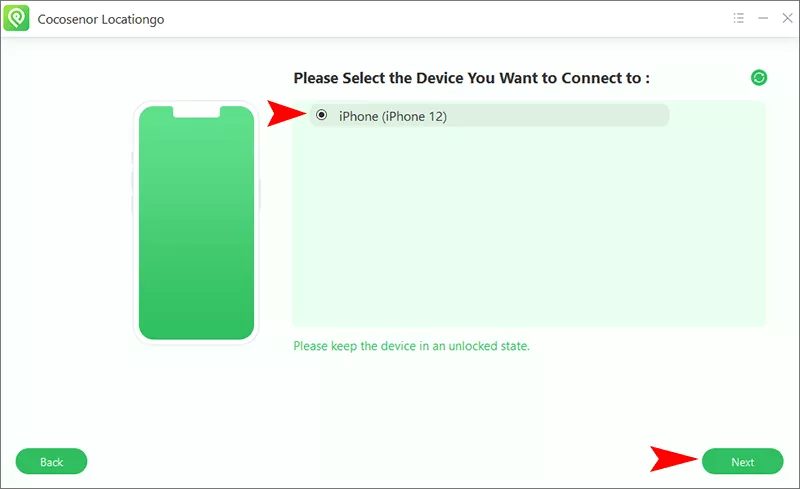
Step 4: Select your iPhone and hit the Next button to go ahead.
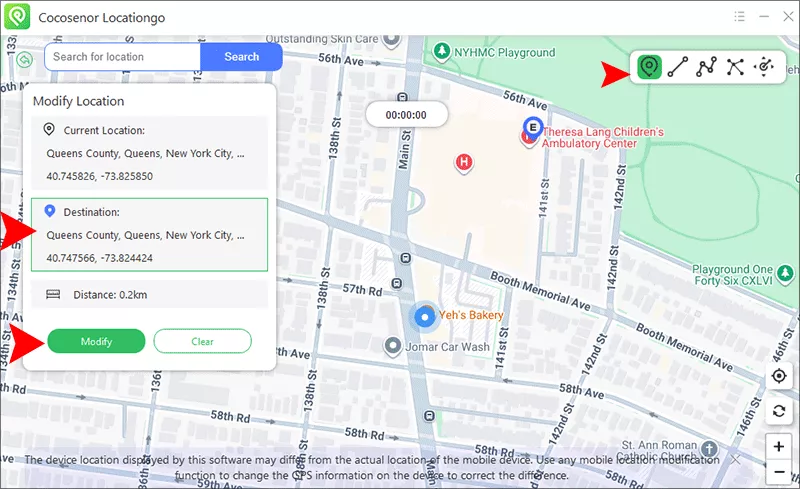
Step 5: Choose “Modify Location” mode on the top right corner, which allows you to choose any location on a map to simulate your position.
Step 6: Set your new location from the Map. Or you can manually search for a city, landmark, or region you want to teleport to or zoom into the map. After selecting your destination, click on the Modify button to apply the new location on your iPhone.
Now, launch Pokémon GO on your iPhone. Your location will appear as if you're in the place you selected, allowing you to teleport and access the new region.
Method 2: Teleport in Pokémon GO on iPhone with VPN
While a VPN can change your IP address, it doesn’t alter your physical GPS location. If you're interested in accessing region-locked content or events in Pokémon GO, using a VPN might help. However, it will not change your location on the map for catching Pokémon or participating in local events.
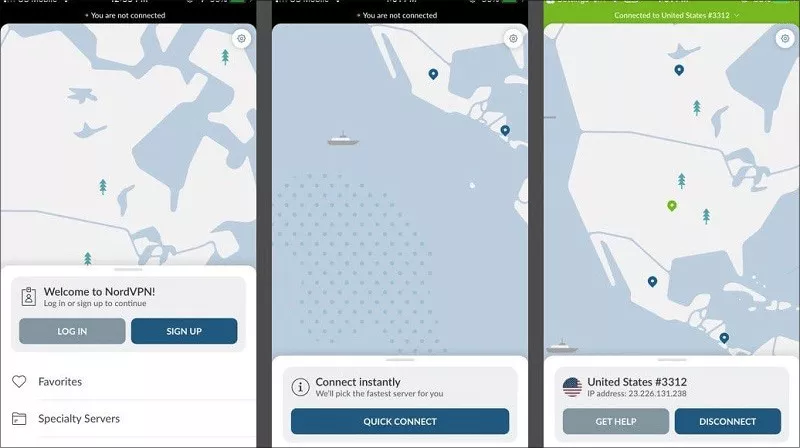
Step 1: Download and Install a VPN app, such as NordVPN, on your iPhone.
Step 2: Sign in and connect to a VPN server in the region you want to appear in. For example, if you want to access United States events, connect to a server in USA.
Step 3: Once connected to the VPN, open Pokémon GO. The game will recognize the new IP address and provide region-specific content, although your physical location remains unchanged.
Tips for Safe Teleporting in Pokémon GO
Tips 1: Close your game before teleporting
If you have run Pokémon GO on your iPhone, completely close it. After that, you can safely teleport the location without being banned.
Tips 2: Follow the cooldown rule form Pokémon GO
The cooldown rule in Pokémon GO refers to the required waiting time before you can perform certain in-game activities, like raiding or participating in gyms. To make the teleport more realistic, it is recommended to use a joystick mode. Besides, The cooldown time will prevent you from soft ban.
Tips 3: Use the reliable Pokémon GO teleport app
The reliable Pokémon GO teleport app can help you to teleport safely without getting banned. Cocosenor Locationgo is one of such apps that can help to teleport in Pokémon GO without the need for jailbreaking your iPhone.
FAQ about Teleporting in Pokémon GO
1. Can I teleport in Pokémon GO without getting banned?
Yes, you can do it with the above methods. While it’s possible to teleport without immediate detection, frequent or suspicious teleporting can result in a temporary ban, soft ban, or even permanent suspension. Use teleportation responsibly and avoid overuse.
2. Can I teleport to another region in Pokémon GO without traveling?
Yes, using apps like Cocosenor Locationgo, you can simulate being in a different location without leaving your home. This allows you to teleport to different regions in the game and catch Pokémon exclusive to those areas.
3. Will a VPN help me teleport in Pokémon GO?
A VPN can change your IP address, but it does not alter your GPS location in Pokémon GO. While it can help access region-locked content, you will still need a GPS spoofing app to teleport your physical location in the game.
Conclusion
Teleporting in Pokémon GO can enhance your gaming experience by allowing you to access different regions, catch rare Pokémon, and participate in distant events. Whether you're using Cocosenor Locationgo or VPN, you can easily teleport in the game. Just remember that spoofing your location violates Pokémon GO’s terms of service, and excessive teleportation may result in a ban.



