


How to Bypass Samsung S25 FRP
If you’re stuck on a Google verification screen after resetting your Samsung Galaxy S25, is there any way or tool to remove FRP on a Samsung Galaxy S25 Ultra? The FRP-factory reset protection, is set to protect your phone data. In this guide, you will learn easy methods to unlock a Samsung S25 with FRP.
- Content
- Why FRP Locks You Out of Samsung S25?
- Method 1: One-click FRP Bypass with FRP Bypass Tool
- Method 2: Manually Unlock Samsung S25 with Chimera Tool
- Method 3: Recover Your Google Account
- FAQs on Samsung S25 FRP Unlock
Why FRP Locks You Out of Samsung S25?
The FRP will be triggered after someone factory resets your Samsung phone when the Google account is still linked to your phone. In the below situation, you might be locked out of Samsung S25 due to FRP:
- The Samsung S25 is second-hand, which is linked to the previous owner’s Google account.
- You forgot the Google account password after a reset.
- Others factory reset the phone without logging out.
Can you bypass Samsung S25 FRP lock? Yes, there are still methods to remove FRP from Samsung S25, although TalkBack, Google Voice Typing, and APK injection methods fail on latest security patches. You can learn the working methods below to unlock Samsung FRP lock.
Method 1: One-click FRP Bypass with FRP Bypass Tool
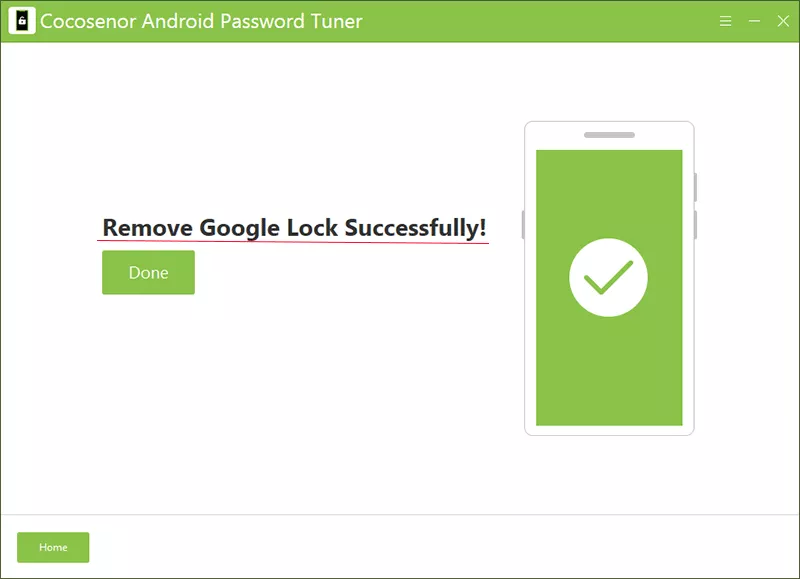
If you bought the second-hand phone and cannot contact the previous owner, or the Google account isn’t yours, the FRP bypass tool is your best choice. Cocosenor Android Password Tuner is one of the most reliable FRP bypass tools which can help to unlock Google lock in simple clicks. Now the software supports Samsung S25 running Android 16. No technical expertise is required and no password is needed.
Step 1: Get Cocosenor Android Password Tuner on your Windows or Mac computer.
Step 2: Open the software and choose Unlock Google Lock from the main menu.
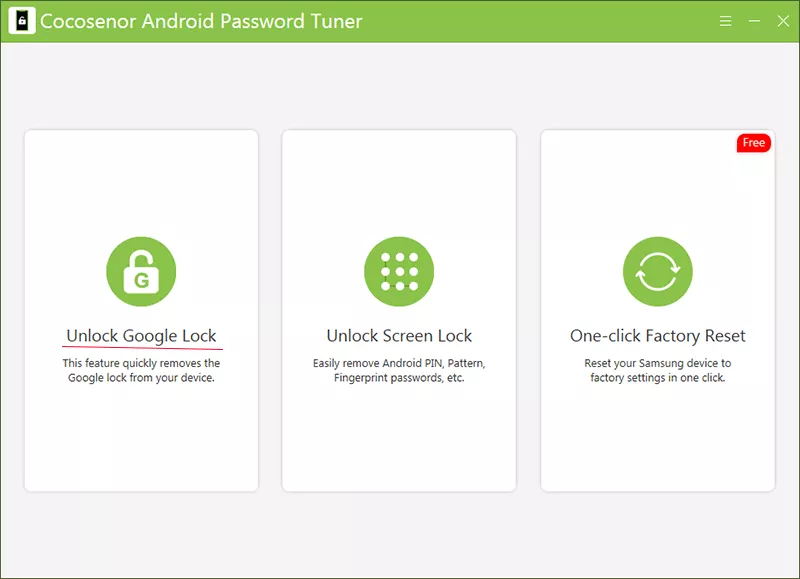
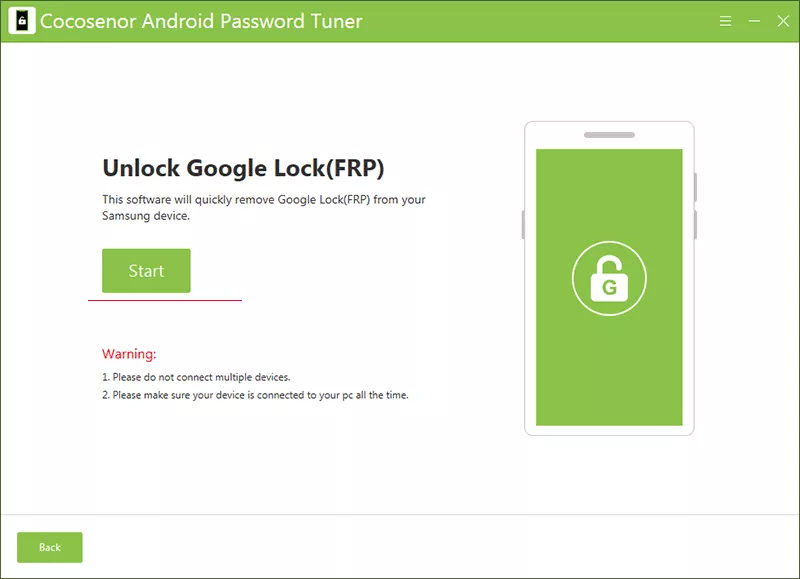
Step 3: Choose Samsung as your device brand and click Start. Then connect your Samsung S25 to the computer.
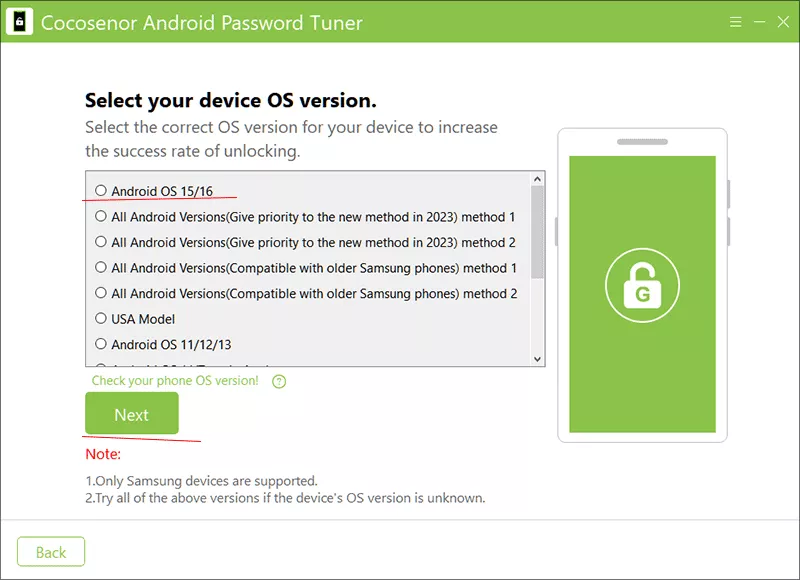
Step 4: Select your Android OS and click Next to continue.
Step 5: Follow the on-screen instructions to bypass FRP lock.
Step 6: Wait for the software to remove the FRP lock.
Method 2: Manually Unlock Samsung S25 with Chimera Tool
Chimera Tool can help to remove FRP lock safely across multiple Android brands, such as Samsung. But it is generally used by repair shops to deal with several Samsung devices. Thus, it will be a little complicated for common people to operate.
Step 1: Make your Samsung into EDL mode.
1. Fully power off the Samsung phone and then remove the back cover and battery flex cable. After that, expose the mainboard.
2. Now you can locate the two marked golden test points shown in the figure, which are usually near the main camera or UFS flash memory.
3. Use tweezers or a thin short wire to short-circuit these two test points to GND (ground).
4. Keep the short-circuit state, then connect the USB data cable to the computer.
5. If operated correctly, the computer should recognize the device in Device Manager: Qualcomm HS-USB QDLoader 9008 (COMxx).
6. After successful recognition, release the short circuit.
Step 2: Open Chimera Tool and put on the battery.
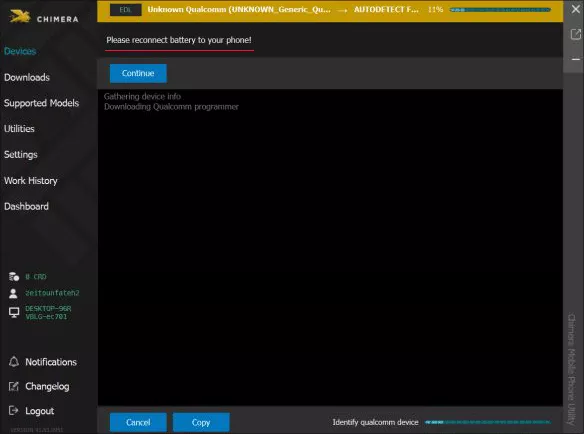
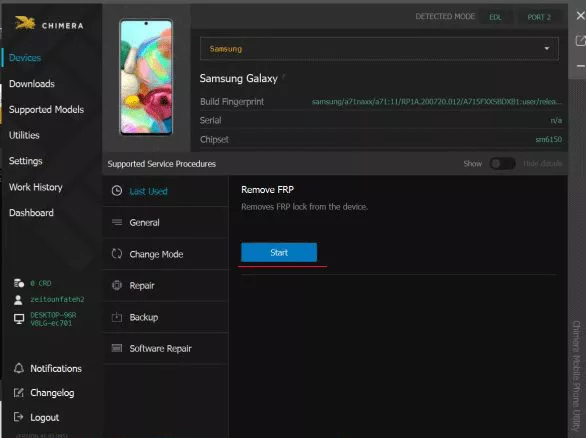
Step 3: Click the Start button after the phone is detected by Chimera.
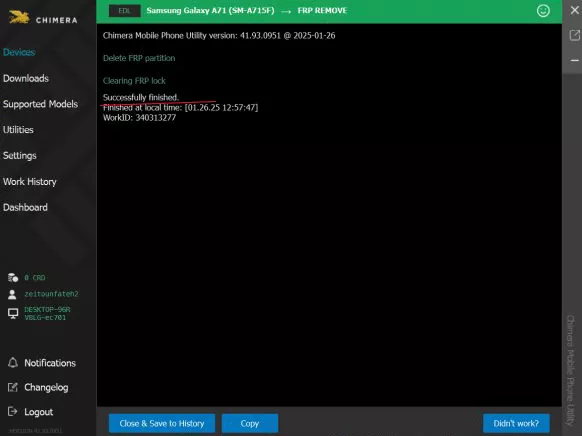
Step 4: FRP is removed successfully from your Samsung S25.
Method 3: Recover Your Google Account
If the Google account locked on the Samsung S25 belongs to you, you can try to recover the password for the Google account without the help of third-party tool.
Step 1: Get another accessible device and visit Google’s Account Recovery page.
Step 2: Input the email address or phone number which is associated with the locked account.
Step 3: Hit Forgot Password option and follow the instructions to verify the account is yours.
Step 4: Create a new password after your identity is verified.
Step 5: Enter the new password to log in Samsung S25 on the Verify your account screen.
FAQs on Samsung S25 FRP Unlock
Q1: Is possible to bypass Samsung S25 Ultra with no PC?
As a matter of fact, it is difficult to bypass Samsung S25 Ultra without PC. After all, the new Android OS updates the security patch. But you can try to recover the Google account password on other device if the phone and account belong to you.
Q2: Can I bypass FRP without my Google account?
Yes, you can use the reliable FRP bypass tool, such as Cocosenor Android Password Tuner, to remove FRP without knowing the Google account.
Q3: Is there free method to remove Samsung FRP?
The free methods mentioned online always don’t work on the latest flagship models like the S25.
Conclusions:
FRP on the Samsung S25 is designed to protect your phone—but it doesn’t have to be a nightmare. By using trusted tools or the account recovery, you can regain access safely and prevent future lockouts.



