

How to Change Account Location on Roblox
Roblox decides which country your account belongs to, and the setting is not as easy to change as many guides claim. This guide explains what account location really means, what you can check yourself, how to ask Roblox Support to correct it, and which popular tricks you can use.
- Contents:
- What Account Location on Roblox Means
- Quick Answer: Can You Change It?
- Method 1: Let Roblox Detect Your Real Location
- Method 2: Ask Roblox Support to Review It
- Can You Change Your Phone's GPS Location to Change Account Location
- What Does Not Work
- FAQs on Roblox Account Location
What Account Location on Roblox Means
Account location is the country associated with your Roblox account. It is not the same as the server your game runs on. Roblox uses it for things such as how prices and currency are shown, billing and payment options, compliance with regional rules, and some age-related features in certain regions.
That is why changing it does not automatically put you on different game servers, and it does not by itself unlock region-locked items or experiences.
Quick Answer: Can You Change It?
Usually not directly. Some older guides describe an Account Location drop-down under Settings > Account Info > Personal, and a few users report that a self-service change used to be available. More recent information says Roblox relies on automatic detection and does not publish a country-selection procedure for everyone. The reliable path is to check what Roblox currently shows and, if it is wrong, contact Roblox Support.
Method 1: Let Roblox Detect Your Real Location
If you recently moved, the simplest fix is to use Roblox normally from your new country. Roblox uses automatic regional detection to update the location, and it does not publish a deadline for when that happens. There is no fixed waiting period you can count down.
Step 1: Log in from the device you normally use while physically in the new country.
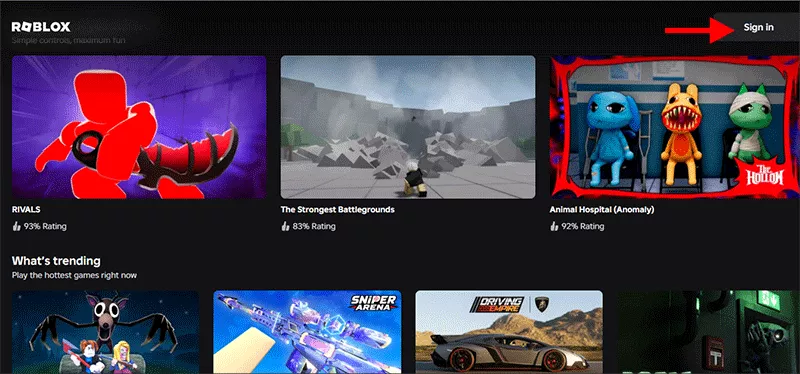
Step 2: Turn off any VPN or proxy while you use Roblox, so detection sees your real connection.
Step 3: Check Account Info again after a few days.
Method 2: Ask Roblox Support to Review It
If the location is still wrong, Roblox Support is the only route that can actually review it. Forum users report that support has corrected wrong locations, but it is a review, not a guaranteed manual change.
Step 1: Go to the Roblox Support contact form and sign in to the affected account. For the type of help, choose How To, then look for How To - Change My Location if it is offered.
Step 2: State clearly what is wrong, for example: "My account location shows the wrong country because I moved to [country] on [month/year]."
Step 3: Add only what is needed. Never send your password, and be careful with any identity documents. Follow Roblox's own verification instructions.
Step 4: Wait for the reply and keep the ticket number. Replies can take a while, so do not open duplicate tickets.
Can You Change Your Phone's GPS Location to Change Account Location
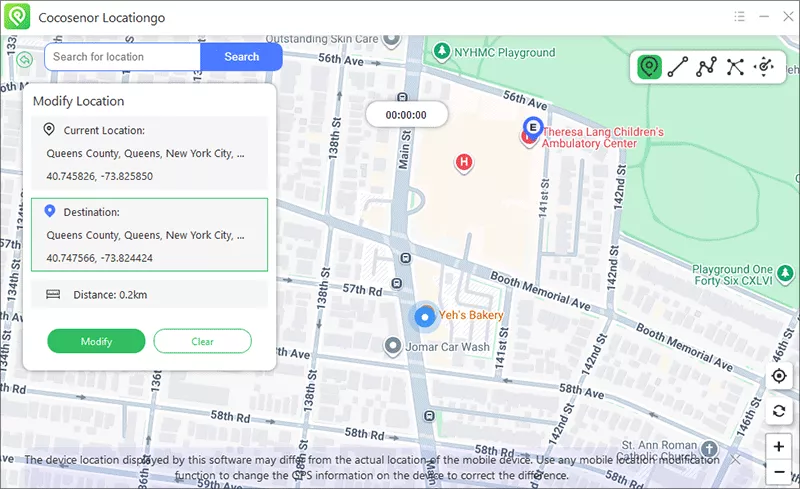
A GPS location changer changes where your phone appears to be for apps that read GPS. Roblox's account location is stored on your account, so a GPS changer will not fix it. Use this method only if you need a different GPS position.
If you do need to set a custom GPS position on an iPhone for other apps, a tool such as Cocosenor Locationgo can do that without moving. Check each app's rules before using it, and use it only on devices and accounts you own.
What Does Not Work
- • Changing your language: language is a separate setting from location.
- • Changing your billing address: Roblox does not publish a billing-address procedure for overriding your location.
- • Fake or made-up "Change Account Region" menus: some low-quality guides describe menus and yearly limits that Roblox does not document. If a guide quotes a menu you cannot find, do not keep searching for it.
FAQs on Roblox Account Location
Q1: Can you change your account location on Roblox?
Not reliably on your own. Roblox does not publish a country-selection setting that works for everyone. It mainly detects your location automatically, and if it is still wrong you can ask Roblox Support to review it. Support does not promise a manual change, and eligibility and verification requirements apply.
Q2: Is account location the same as Roblox server region?
No. Account location is the country associated with your account and affects things like currency display and regional policies. Server region is where an individual game server is hosted and affects ping. Changing one does not change the other.
Q3: Will changing my Roblox language or billing address change my location?
Not officially. Roblox treats language as a separate setting, and it does not publish a billing-address procedure for overriding your account location.
Q4: I moved to another country. How do I update Roblox?
Use Roblox from your new location and check Account Info after some time to see whether detection has updated. If the old country still shows, contact Roblox Support and explain that the location is incorrect.
Q5: Will I lose my Robux, items or friends if my location changes?
Roblox does not describe a location correction as removing your account data. Your Robux, items and friends belong to your account, not to your location. Still, check any regional pricing or availability afterwards, because those can differ by country.
Conclusions
There is no dependable do-it-yourself switch for changing your account location on Roblox. Check Account Info, let automatic detection do its work from your real location, and contact Roblox Support if the country is still wrong. Skip VPNs, language tweaks and billing tricks, because they do not change the country stored on your account.