Products iOS Repair Tuner

iOS Repair Tuner

iOS Repair Tuner iOS Repair Tuner

iOS System Recovery Software to Fix iOS Problems

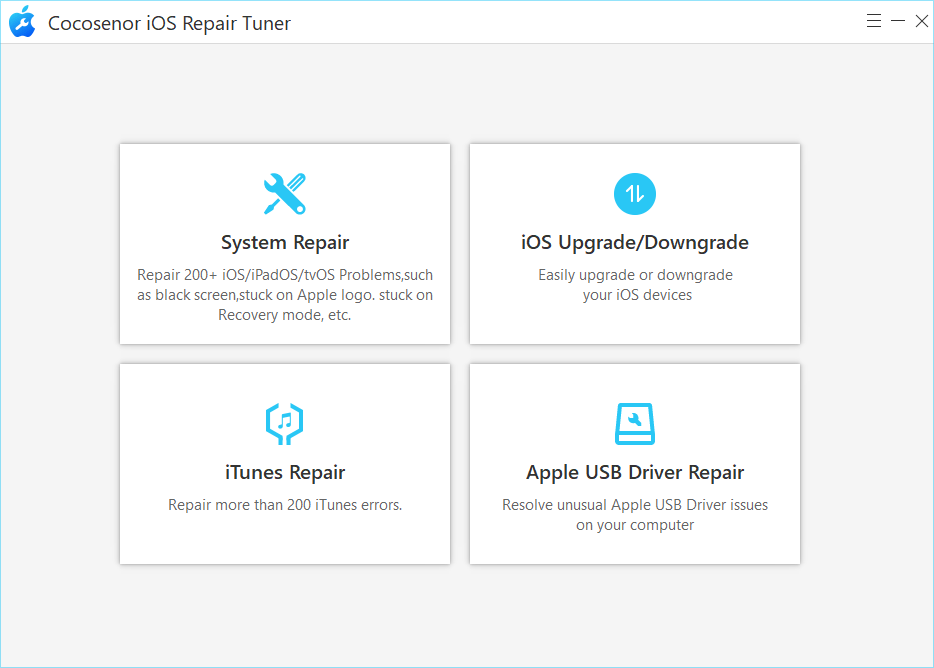
Cocosenor iOS Repair Tuner is the easy-to-use iOS repair tool that help you fix all iOS/iPadOS/tvOS issues within simple clicks. You can get over the stuck issues and restore IPSW files to make your iOS devices back to normal.

  • Repair all iOS issues like black/white screen effortlessly
  • Fix iTunes install, startup, connection and etc. errors safely.
  • Two modes are provided: Standard Mode & Advanced Mode
  • Upgrade iOS/iPadOS to newest version with no data loss.
  • Downgrade iOS/iPadOS to an older version without jailbreak.
  • Support almost all iOS versions and devices, including iOS 27 and iPhone 17.

Available for:

Windows

Mac

for windowsSystem Requirements

Windows 11 , 10 , 8.1 , 8 , 7 , Vista , XP , 2000  ;   Windows Server 2025 , 2022 , 2019 , 2016 , 2012 , 2008 , 2003

for windowsSystem Requirements

mac OS and Mac OS X

HFS, FAT32, exFAT, NTFS

money back guarantee

Key Features

  • Fix iPhone stuck on Apple logo, recovery mode, boot loop, battery logo and etc issues.
  • Solve almost all common iTunes errors with simple clicks
  • Repair most iOS problems with no data loss
  • Factory reset iPhone without iTunes
  • Upgrade or downgrade the system version of your iDevices within clicks.
  • Super easy to use, with no technical requirement
  • Compatible with all versions of iOS/iPadOS

Step by step guide

  • Step1: Download Cocosenor iOS Repair Tuner
  • Step2: Connect the iOS device to the computer with USB cable
  • Step 3: Run the software and choose the repair mode.
  • More

FAQ

Related Resources

Reviews

user

My iPhone kept rebooting in a loop after a failed update. Cocosenor iOS Repair Tuner fixed it in one try, and I didn’t lose my data. Thanks, bro!

Assessment level:
  • --by Paul Raynor
  • 04/10/2026
user

Easy to use and worked faster than I expected.Fixed my iPhone stuck on the Apple logo without losing data.

Assessment level:
  • --by Kelly Dunning
  • 01/18/2026
user

What I liked most was that it didn’t feel overly complicated compared to some other iOS repair tools I’ve tried. The only downside is that the firmware download can take a while if your internet is slow. Hope you can improve it!


Assessment level:
  • --by RyanTech
  • 11/25/2025